Know what you cansafely spend today.
Without breaking your month. Finvision gives you one honest number, updated in real time, and an AI owl named Penny who never shares your data.
- Left to spend
- Penny AI
- 100% on-device
- Goals
- Widgets
The question nobody answers
You're at checkout. You want to know if you can afford it. You open your tracker and it shows last month. You try to do the maths in your head. You guess. You hope.
Every finance app on the market answers around the question. None of them answer “How much can I actually spend right now?”
- Shows the past
Expense trackers
Opens to last month's totals. Great for history, silent when you need an answer right now.
- Too complex to use in real life
Budget spreadsheets
You set one up once. It lives on your laptop. You're standing in a shop with your phone.
- Answers right now
Finvision
One number, updated the moment you spend. Safe, tight or risky, before you commit.
Left to spend
€847
Try it yourself
Same €847. Tap what you'd buy.
Left to spend · 12 days to payday
€847.00
Safe pace: €70.58 / day



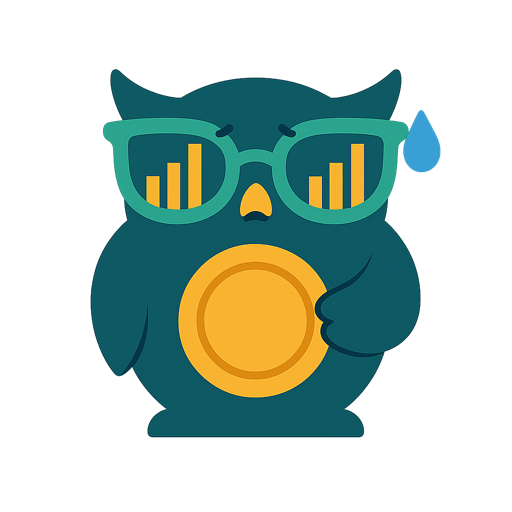
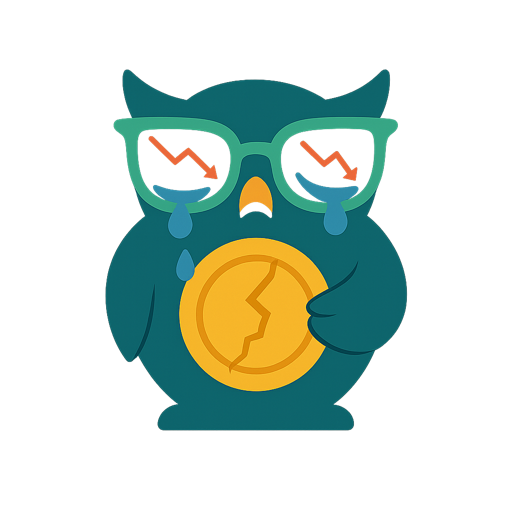
Tap a purchase and I'll tell you straight whether you can afford it.
Tap to spend
A simplified cut of the real verdict engine; in the app it runs against your actual bills.
Finvision is the only app that answers the question you're actually asking.
See exactly what you get
No mockups and no marketing fluff: these are the real screens.
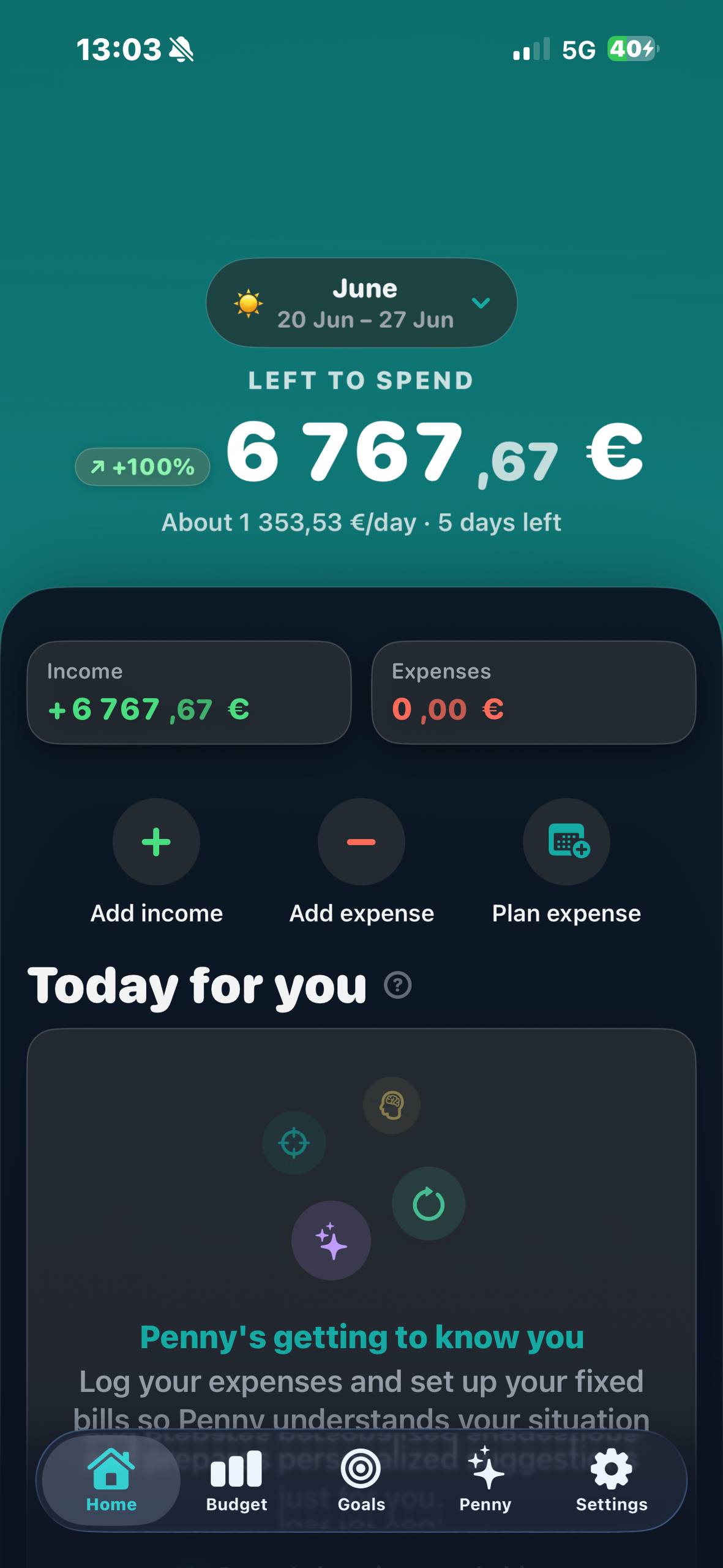
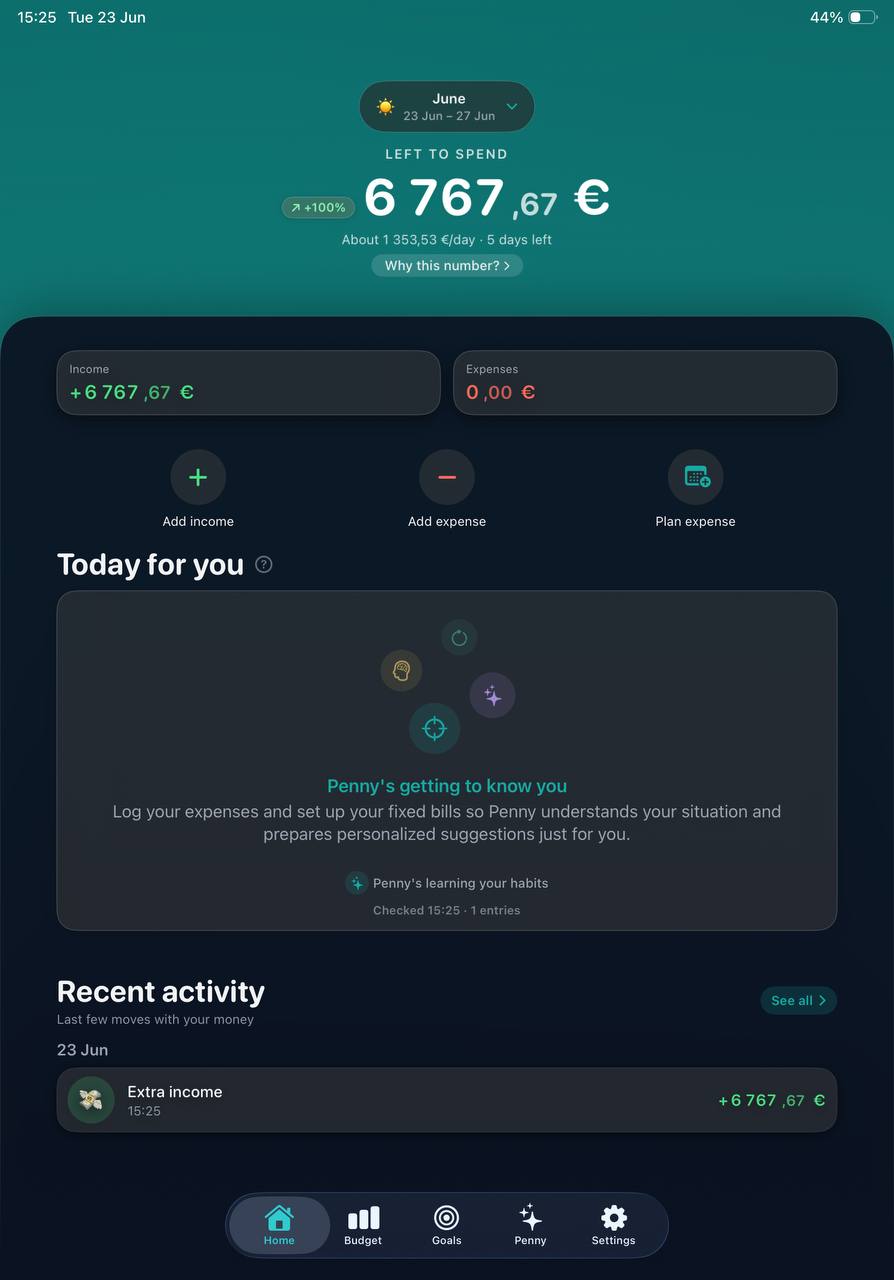
Step 01 — Home
One number. The only one that matters.
Open Finvision and see exactly how much you can safely spend today. It recalculates the moment money moves.
- Live “left to spend” for today and the whole month
- Add income or an expense in two taps
- Penny gets to know your habits as you go
01 — Home
One number. The only one that matters.
Open Finvision and see exactly how much you can safely spend today. It recalculates the moment money moves.
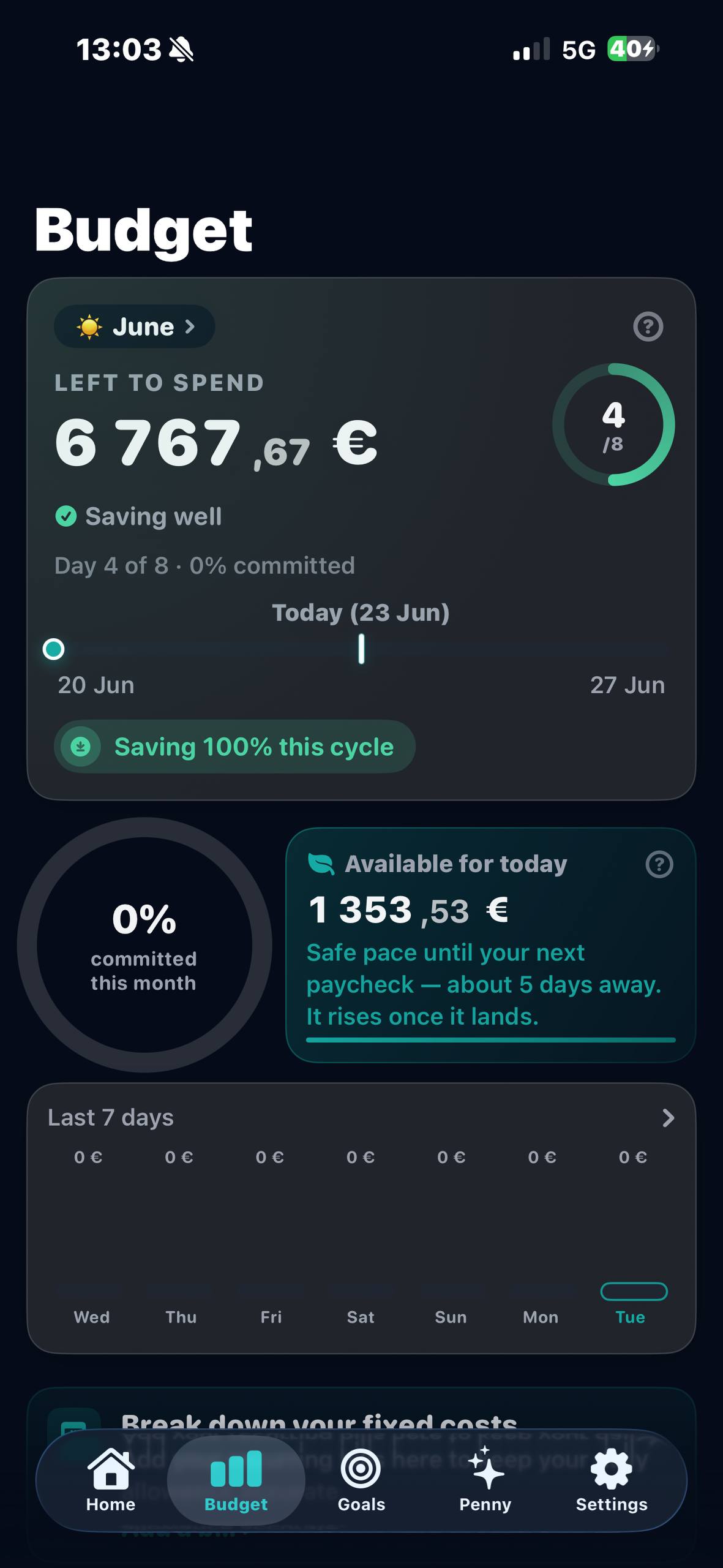
02 — Budget
Stay on pace without doing the math.
Finvision paces your whole cycle for you: what's safe to spend today, how the week is trending, whether you're saving or slipping.
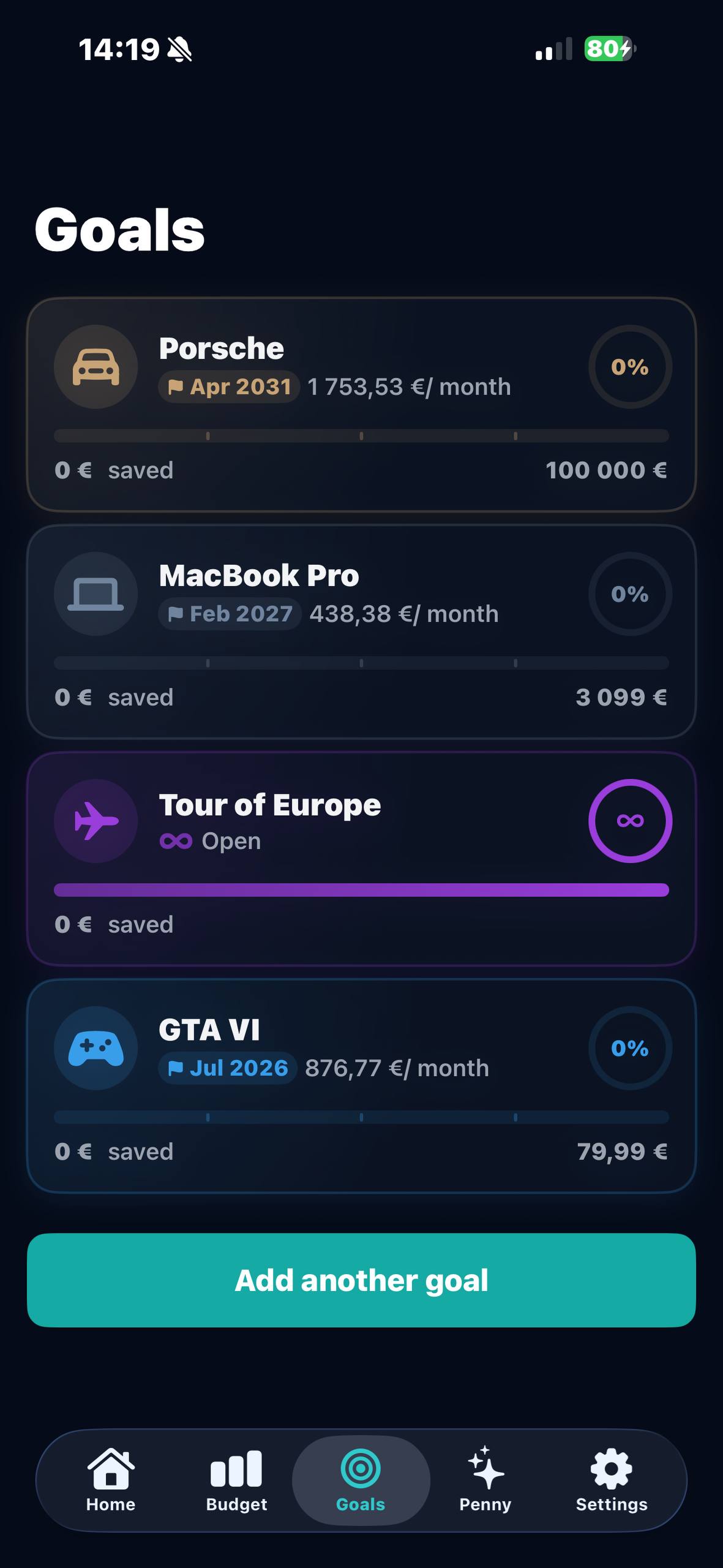
03 — Goals
Turn “someday” into a date.
Set what you're saving for and Finvision projects when you'll get there, based on how you actually spend.
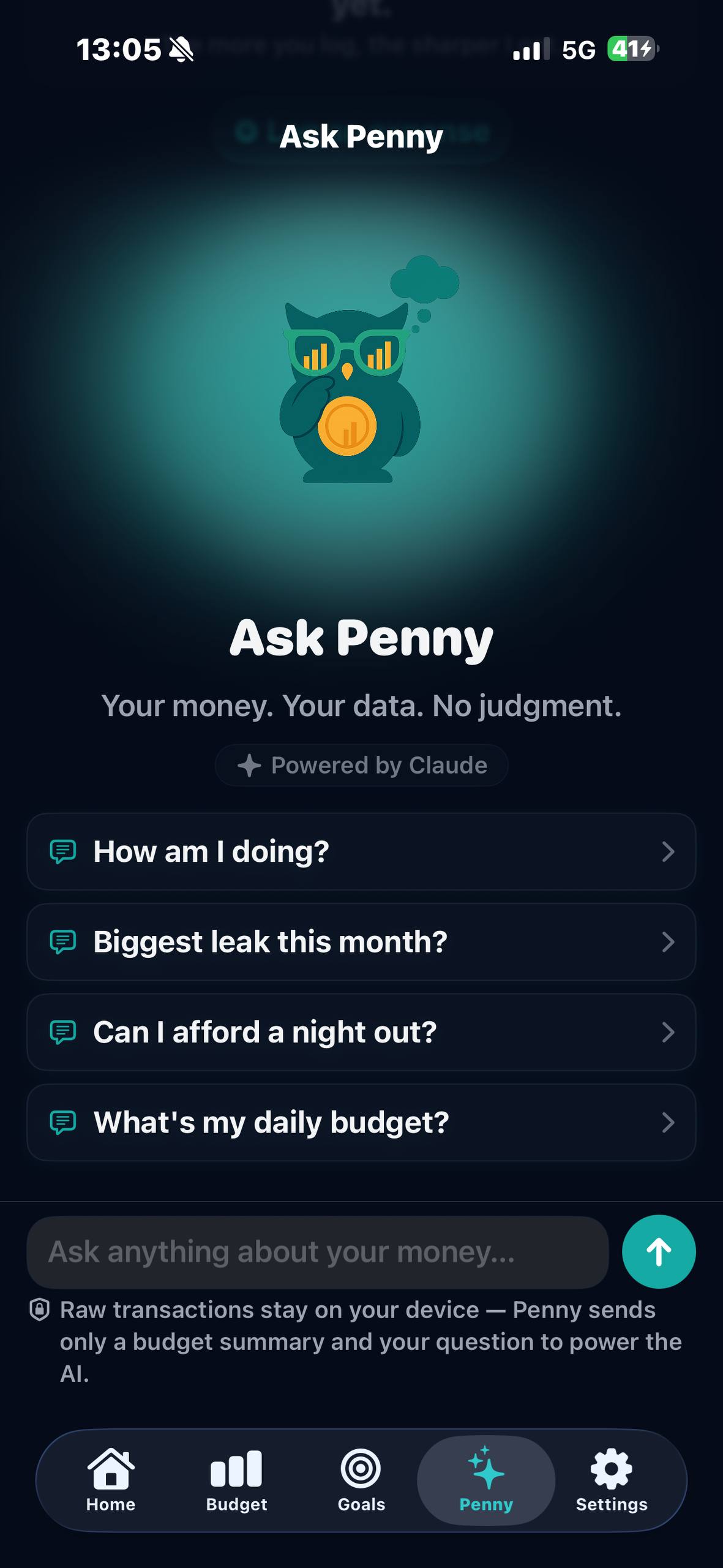
Meet Penny, your AI money owl
Penny knows your last six months of patterns: your habits, your pace, your goals. Ask anything about your money in plain language and you get a straight answer in seconds, without judgment.
“How am I doing?”
A straight read on your month in seconds
“Can I afford a night out?”
A real projection against your plan
“Biggest leak this month?”
Pattern analysis across your spending
“What's my daily budget?”
Your safe pace until the next paycheck
Raw transactions stay on your device. Penny sends only a short budget summary and your question, never names or individual amounts.
Your money never leaves your phone.
Most finance apps are free because you are the product. Finvision is free because the paid tier pays for it. That difference decides how the whole app is built.

No account
There's no sign-up, no email, no password. Open the app and start; there's nothing to create because there's nothing to store.
No cloud
Income, bills and every transaction live in SwiftData on the device. It never syncs to us, and we couldn't read it even if we wanted to.
No tracking
No analytics SDK, no advertising identifier, no behavioural profile. We make money when you choose to pay for Gold, not from your data.
One exception, stated plainly: asking Penny a question needs a connection. Even then your raw transactions stay on the device; the app sends only a short budget summary and your question.
Everything you need, nothing you don't
100% on your iPhone
Income, bills and every transaction live in SwiftData on your device. There's no account and no cloud, so nobody else can read your numbers.
Honest spend checks
Add an expense and Finvision answers on the spot: fine, tight or risky. If a spend would break your month, it can refuse it outright.
Deep category insights
Daily charts, weekly patterns, top vendors and heatmaps. See where the money actually goes before it's gone.
Plan ahead
Drop in recurring bills and upcoming expenses. Your daily allowance stays accurate down to the cent.
Home-screen widgets
Left to spend, daily budget, bills and goals sit on your home screen, so you don't even have to open the app.
- More in Gold
Month Recap
A 'Wrapped'-style review of where your month went. Free gives you the summary; Gold adds the letter grades, the patterns behind them, and a personal note from Penny.
Everything Penny can really do
Everything in the free app, plus the AI and insight that turn numbers into decisions.
Ask Penny
Chat with your AI owl about your numbers. Penny knows six months of your patterns and answers in seconds.
Proactive Coach
Push notifications that catch spending drift before it breaks your month, without the nagging.
Deep Month Recap
Full letter-graded breakdown of every category, spending patterns, and a personal month-end letter from Penny.
Unlimited goals
Set as many savings goals as you like, each with projected timelines based on your real patterns.
| What you get | Free | Gold |
|---|---|---|
| 100% on your iPhone | ||
| Honest spend checks | ||
| Deep category insights | ||
| Plan ahead | ||
| Home-screen widgets | ||
| Month Recap | Summary | |
| Ask Penny | − | |
| Proactive Coach | − | |
| Unlimited goals | − |
$4.99 / month
Billed $59.99 / year
Includes a free trial · Cancel any time in iPhone Settings
Finvision is out now on the App Store.
Free to download, with no account to create. Set up your income and bills in a couple of minutes and you'll see your first number today.
- Price
- Free, Gold optional
- Requires
- iOS 17.6+
- Devices
- iPhone & iPad
- Languages
- 22 languages
Available across Europe & the Americas. Something not working? hello@vegarise.io
Built for iPhone & iPad from day one.
Questions answered
Is Finvision really private?
Yes. Your financial data (income, bills, transactions) lives in SwiftData on your iPhone, with no account and no server sync. When you use Penny, a Gold feature, your raw transactions stay on the device: she sends only a short budget summary and your question to the AI, which runs on Claude.
How is Finvision different from a budget tracker?
Budget trackers show you what you already spent. Finvision answers a different question: how much can you safely spend right now? It weighs every expense against your plan in real time, and if a spend is impossible it blocks it before it happens.
How do I get Finvision?
Finvision is out now on the App Store: search “Finvision: Budget & AI Finance” or tap Download on the App Store anywhere on this page. It's a free download for iPhone and iPad running iOS 17.6 or later, available in 22 languages across Europe and the Americas.
What is Finvision Gold?
Gold is the optional premium tier that adds Penny AI chat, the Proactive Coach, Deep Month Recap, and unlimited savings goals. The free version handles the essentials: planning, tracking, goals and widgets.
Who is Penny?
Penny is Finvision's AI owl, powered by Claude. She lives inside the app, knows your last six months of financial patterns, and answers questions about your numbers in plain language. Your raw data never leaves your phone.
What does it cost?
The core app is free forever. Finvision Gold is $4.99 / month billed annually ($59.99 / year), or $9.99 / month billed monthly. A free trial is included, and you can cancel any time in your iPhone Settings.